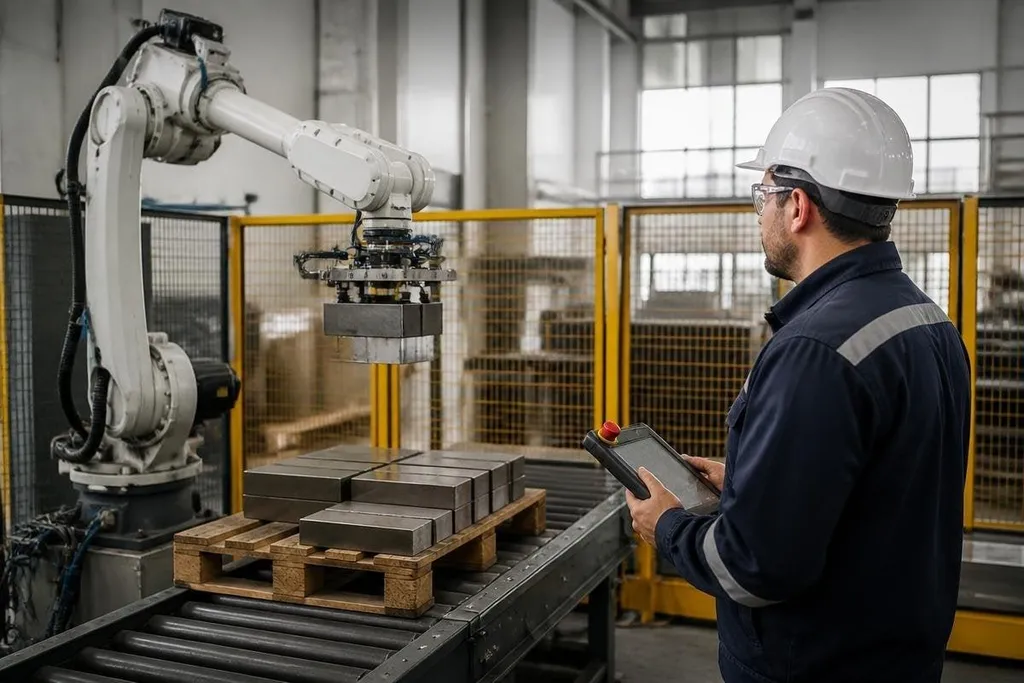
Robots can move heavy loads, work near heat, and repeat the same motion without tiring. That makes them useful for occupational safety, but only when the whole work area is designed around their limits. The machine may remove one hazard and introduce another.
Quick read
- Robots can take on lifting, hot-area work, and repetitive handling.
- Guards, sensors, training, and maintenance still protect the people nearby.
- A safety review should cover normal work, faults, cleaning, and repairs.
Where robots reduce risk
Many workplace injuries begin with repeated force, awkward posture, or contact with a moving object. A robot arm can load a press, move parts between stations, or place products into a container while a worker controls the process from a safer position.
Mobile robots can carry materials across a warehouse or factory floor. That can reduce manual pushing and lifting, especially where people move the same items many times during a shift. The benefit depends on the route, the load, and how people share the space.
Robots also help in areas where heat, fumes, sharp edges, or radiation create a direct hazard. A remotely operated machine can inspect a damaged pipe or handle material inside a hot cell, keeping the worker outside the exposure area. The remote setup still needs reliable communication and a clear way to stop the machine.
Repetition matters too. Fixed pick-and-place systems can perform the same path each time. The worker then handles setup, checks, or tasks that need judgment instead of repeating one movement for hours.
New hazards around the machine
Automation changes the risk profile. A robot arm has reach, speed, and stored energy. A person who enters its work area during automatic motion can face a pinch point or impact, even if the arm appears to be moving slowly.
Mobile robots create different problems. They may block an aisle, meet a person at a blind corner, or carry a load that changes their stopping distance. Floor markings, speed limits, warning signals, and clear crossing rules help people predict what the robot will do.
Sensors are useful, but they don't remove the need for physical protection.
A light curtain can stop a machine when someone crosses its boundary, yet a dirty sensor, poor placement, or software fault can weaken that protection. The safety design needs a safe state when a sensor fails.
A safety manager needs the robot, failed sensor, and safe-state response named before approving a change. Robot24 can be a starting point for machine-specific reports that put those details beside the workplace risk. The next check still belongs to the people who monitor the system and respond when it stops.
People remain part of the safety system
Workers need to know what the robot does during normal operation and what happens after a fault. Training should cover warning lights, safe distances, emergency stops, restart rules, and the steps for reporting an unusual movement.
Maintenance creates a separate risk. A robot may stop moving while its motor, tool, or attached load still holds energy. Lockout and tagout procedures isolate the machine before a technician enters the work area. The exact steps depend on the robot, its tooling, and the power sources connected to it.
Collaborative robots, often called cobots, are designed to share space with people under set conditions. Their safety depends on the task, tool, payload, speed, and contact limits. A cobot that is safe for a light plastic part may need guarding when it carries a sharp tool or a heavy load.
I’d approve a robot for safety work only after checking its failure behavior, not its demonstration video. A smooth demo says little about a blocked sensor, a dropped load, or a worker reaching into the cell during recovery.
A practical safety check
Use this list before putting a robot into regular work:
- Map every task: include loading, cleaning, adjustment, fault recovery, and maintenance.
- Mark the robot’s reach: include the tool, payload, cables, and any part that can swing.
- Test the stop system: check emergency stops, guards, sensors, and restart behavior.
- Set people rules: define walkways, crossing points, safe distances, and access rights.
- Check the load: confirm that the robot can hold it after a power loss or tool fault.
- Review the work: ask operators and technicians what fails during a normal shift.
What to check next
A safety review should continue after installation. Near misses, sensor faults, changed tools, and new materials can alter the risk around the same robot. Record those changes and review the controls before the task changes again.
The useful question is specific: which hazard will the robot remove, and what new movement, stored energy, or access problem will it add? The answer should be written into the work instructions before the robot starts its first shift.